
Proofpoint Email Encryption vs Mailock: Review & Comparison
 Sabrina McClune


Firms comparing Proofpoint Email Encryption and Mailock usually want outbound encryption that fits day-to-day email work without creating avoidable friction for recipients.
We compare features, sender and recipient experience, integrations, support, and pricing so you can see where each option fits.
Proofpoint vs Mailock: Key Features
Encryption
- Proofpoint: AES-256 encryption
- Mailock: AES-256 encryption
Recipient Authentication
- Proofpoint: Secure Mail web access for external recipients, rather than sender-selected recipient challenges
- Mailock: SMS, Q&A, email authentication, Unipass ID
Encrypted Attachments
- Proofpoint: Yes
- Mailock: Yes
Message Revoke
- Proofpoint: Administrator and sender (thread owner) initiated
- Mailock: Administrator-initiated and user-initiated
Audit Trails
- Proofpoint: Default 30-day encrypted thread access period in the newer email encryption experience
- Mailock: 365-day+ message storage
Encryption Triggers
- Proofpoint: Predefined terms, button in email client
- Mailock: Predefined terms, button in email client, user security alerts
Recipient Experience
- Proofpoint: External users use Secure Mail, a web-based interface, to read and respond
- Mailock: Read-without-registration, requires account to reply, limited free sends
Integrations
- Proofpoint: Outlook, Gmail
- Mailock: Outlook, Unipass ID
Customer Support
- Proofpoint: Online support, knowledge base
- Mailock: 1-to-1 live demo, 14-day free trial, UK-based support, knowledge base
Pricing
- Proofpoint: Contact for UK pricing
- Mailock: Free account and paid plans available, with volume-based pricing for larger deployments
What Is Proofpoint Email Encryption?
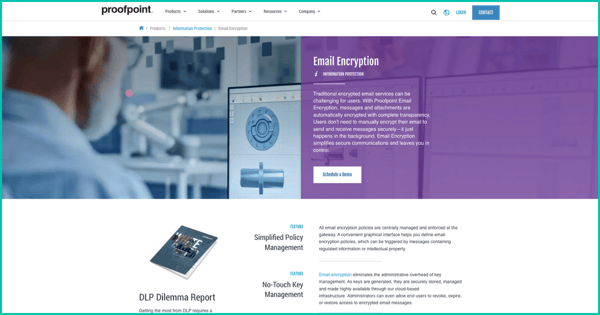
Proofpoint is a cybersecurity company that offers an email encryption solution to secure outbound emails.
It forms part of a wider suite of tools designed to protect sensitive data across digital channels.
Outbound Email Security
Proofpoint uses AES-256 encryption and works based on policy-based encryption, meaning emails are encrypted if they meet certain predefined rules.
These rules rely on built-in term dictionaries. If an email includes a term flagged as sensitive, encryption is applied automatically to help secure transmission.
Proofpoint's newer email encryption experience lists a default 30-day encrypted thread access period, with options to enforce shorter access periods.
For external recipients, Proofpoint describes Secure Mail as a web-based interface for reading and responding to encrypted emails. Buyers that need sender-selected recipient challenges should confirm whether their chosen Proofpoint configuration supports that workflow.
That gap can matter in regulated industries where firms need stronger evidence that the right person accessed sensitive information.
User Experience and Integrations
Proofpoint integrates with Outlook and Gmail for a smooth sender experience.
External recipients use Proofpoint Secure Mail to read encrypted messages and reply. That can add a portal step compared with tools that allow read access without registration.
Replies can only be sent through the Proofpoint portal. Without a paid plan, recipients cannot initiate secure messages, so secure threads may stay one-way.
Customer Support and Pricing
Support is available through an online help portal and knowledge base.
UK pricing is not published on their website. Interested organisations must contact Proofpoint directly for details.
What Is Mailock?
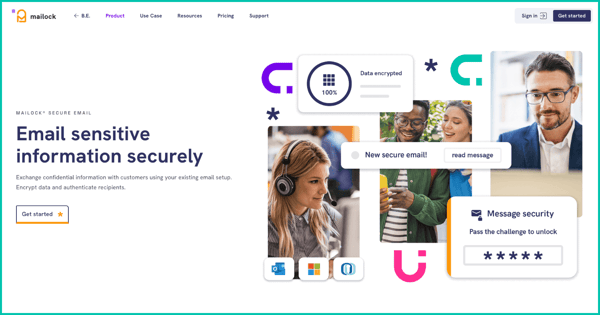
Developed by Beyond Encryption, Mailock is a secure email platform designed to protect sensitive information and support compliance in regulated sectors.
Outbound Email Security
Mailock applies message-level AES-256 encryption, securing emails in transit and at rest.
It offers multiple recipient authentication methods: SMS, Q&A, email, and Unipass ID. These measures help confirm that the right person is accessing the data.
That helps reduce the risk from email misfires and compromised inboxes when firms need to show who could access a message.
Mailock also supports flexible encryption triggers, such as admin-defined keywords, security alerts, or manual prompts, allowing a balance of policy enforcement and user control.
It includes message storage and audit trails for 365 days or more, helping businesses demonstrate compliance if required.
Users and admins can both revoke access to sent messages, preventing future access.
User Experience and Integrations
Mailock integrates with Microsoft Outlook and Unipass ID, making it a strong fit for many financial services workflows.
Recipients can read messages without creating an account. That reduces barriers and can improve engagement, particularly for customer communications.
Recipients can also use a free Mailock account to send a limited number of secure emails, protected using the same AES-256 encryption, so they can respond securely without needing a paid plan.
Customer Support and Pricing
Mailock offers a 14-day free trial and the option to book a 1-to-1 live demo.
UK-based support is available, and the product includes a detailed knowledge base.
Mailock has a free account and paid licences, with volume pricing available. Check the current pricing page for the latest per-user price.
Proofpoint vs Mailock: The Verdict
Both platforms offer essential outbound encryption features, but there are notable differences in security depth, usability, and compliance support.
Proofpoint delivers policy-based encryption and integration with Outlook and Gmail. Its Secure Mail portal model may be limiting for regulated firms that need sender-selected identity challenges and longer message records.
Mailock offers more control, including user-triggered encryption, authentication, revoke capabilities, and longer message storage with audit trails.
Its recipient-friendly onboarding, free and paid plan options, and focus on regulated-sector workflows make it a practical option for many financial services, legal, and healthcare teams.
Compare Mailock with other secure email providers
FAQs
How Do Proofpoint and Mailock Differ?
Proofpoint sits within a broader security platform, while Mailock is built around secure outbound email and recipient access.
Which Sender and Recipient Experience Questions Matter?
Compare how senders trigger protection, how recipients authenticate, whether replies are secure, and how evidence is captured.
What Should Buyers Check Beyond Encryption?
Review support, integrations, admin controls, pricing fit, audit trails, and how the workflow feels for external recipients.
References
Proofpoint Email DLP and Encryption, Proofpoint, checked 3 June 2026
Proofpoint Essentials Email Encryption, Proofpoint, checked 3 June 2026
Proofpoint New Email Encryption Experience, Proofpoint, checked 3 June 2026
Reviewed by
Sam Kendall, 03.06.26
Sabrina McClune, 19.06.25
This content is for general information only and is not legal advice.
|
Originally posted on 22 09 23
Sabrina McClune writes about cybersecurity, data protection, digital identity, and digital transformation for Beyond Encryption, helping regulated sectors understand complex technology and compliance topics with greater clarity. |
Email Series
Subscribe to
.svg)
Subscribe to Privacy Decoded, our monthly email briefing about privacy, digital trust, and the forces shaping our online world.
 Previous post